Timeline
Sept 2024 - Dec 2024
My Team
Khushi / Product Designer
Ananya / Product Designer
Mitchell / UX Researcher
Dori / UX Researcher
Project Type
Academic Project: ISE 217, HCI
Platform
Web [Desktop]
01
THE BACKGROUND
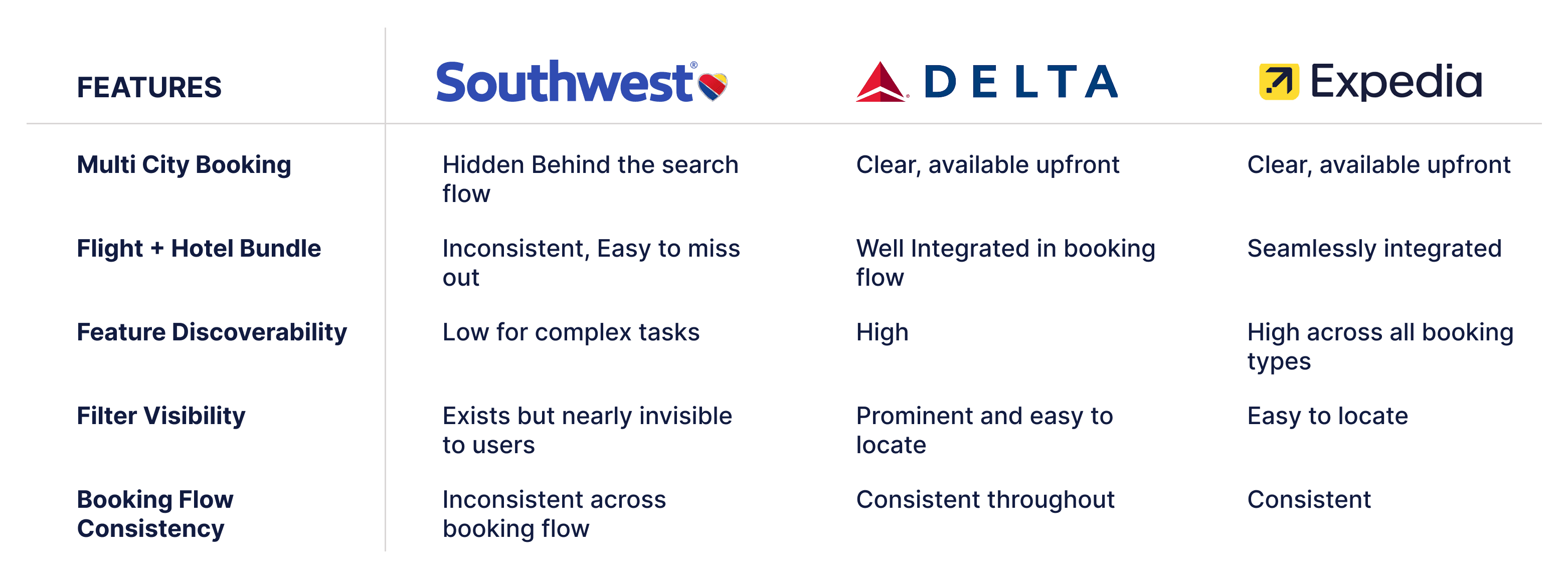
Competitive Analysis
02
THE SOLUTION
03
RESEARCH
We used a mixed-methods approach to understand not just what was breaking, but why.
UX Audit
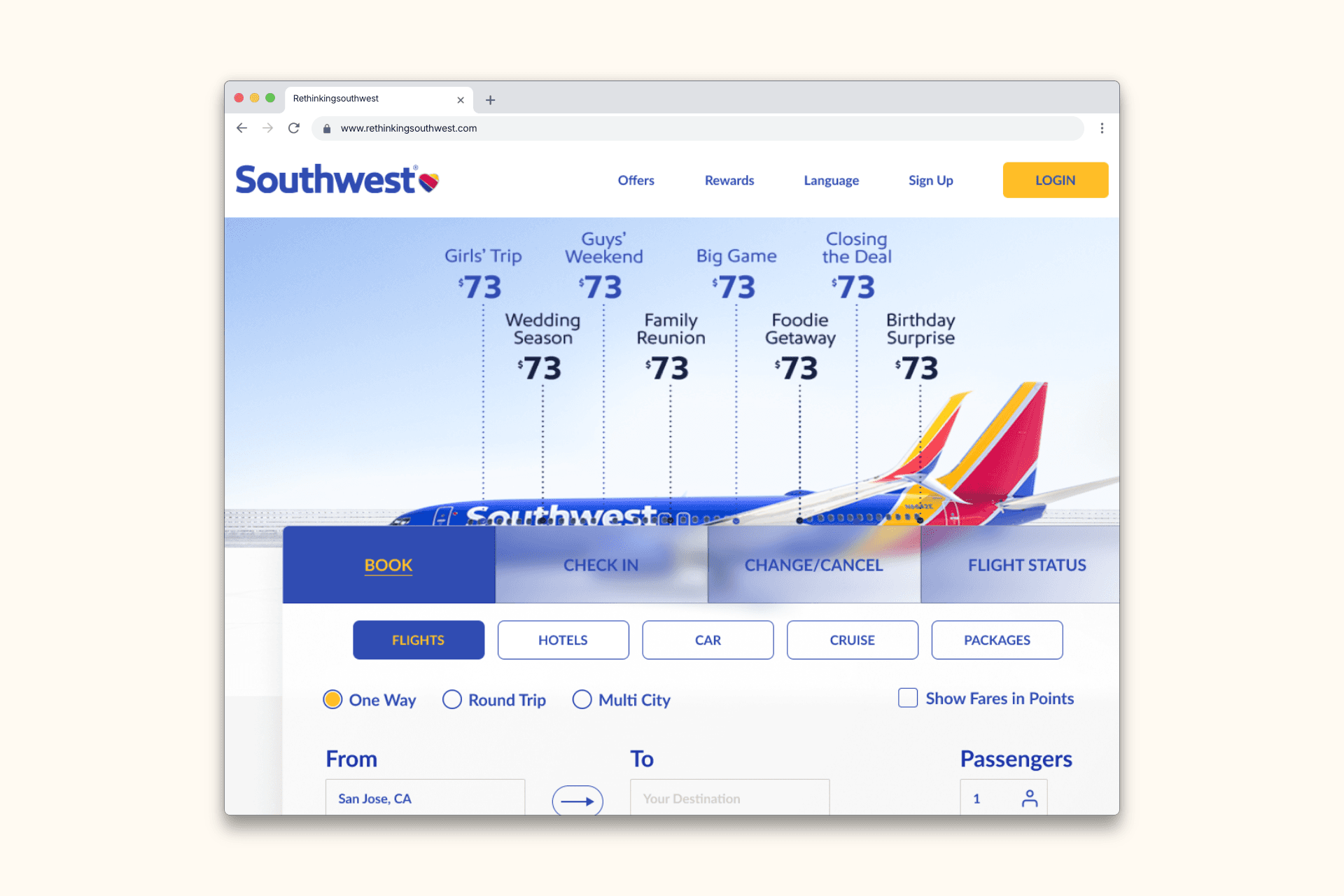
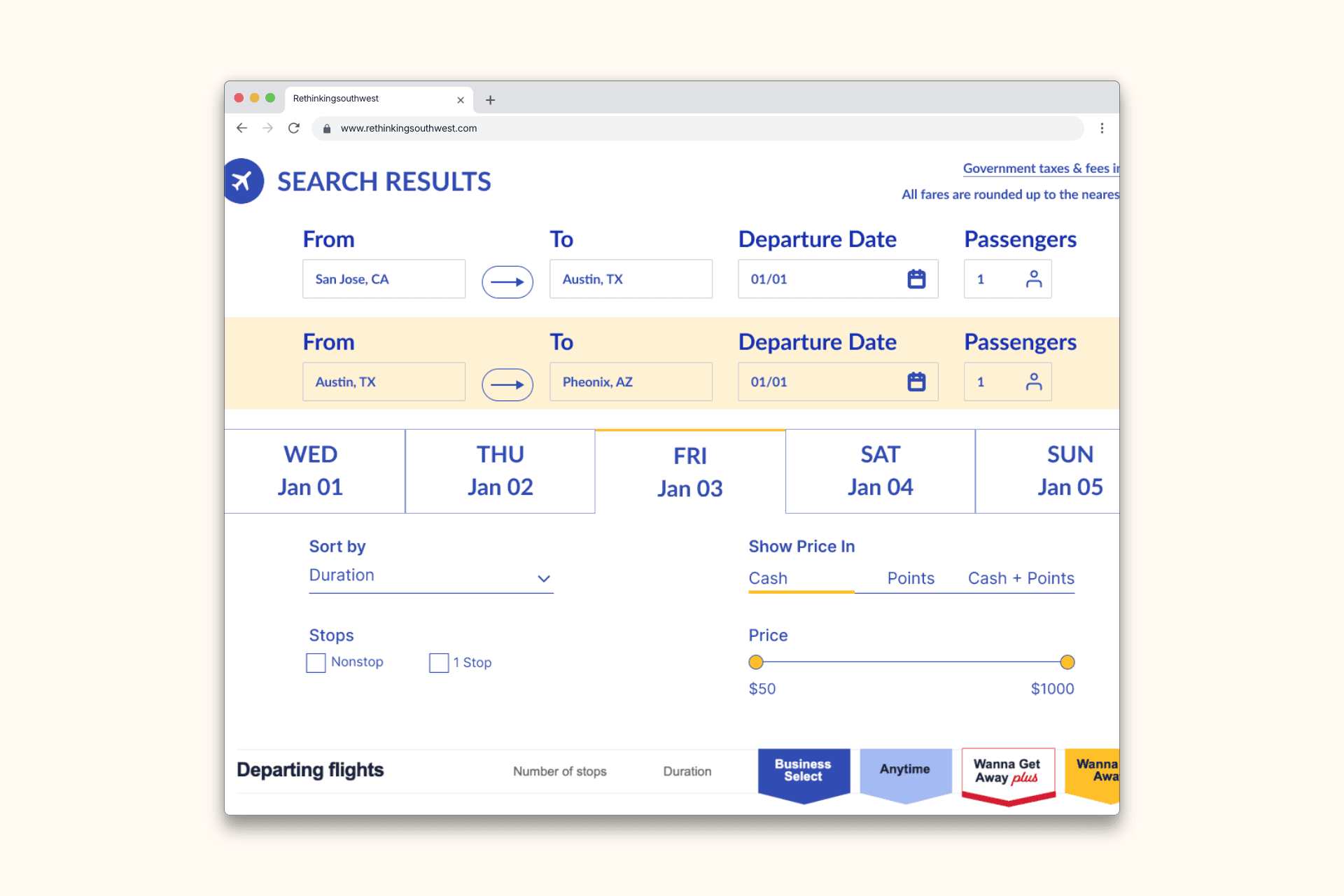
Our team conducted a systematic heuristic evaluation of Southwest's existing interface against established usability principles. Two critical violations stood out immediately:
The visibility of system status, where the multi-city feature gave users no indication it existed
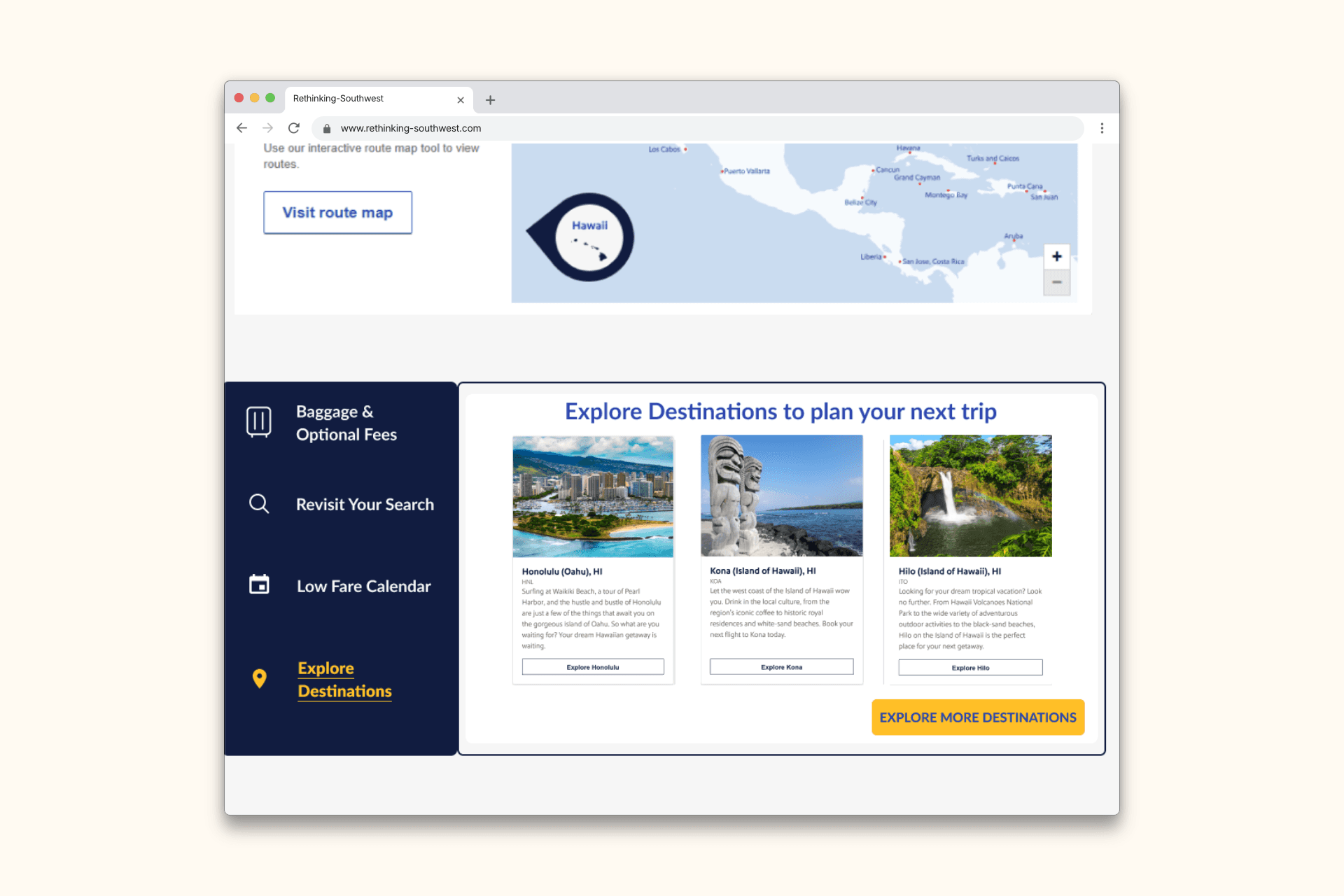
Consistency and standards, where the hotel booking touchpoint appeared differently across the flow depending on user path.
Heuristic Evaluation of the existing site:
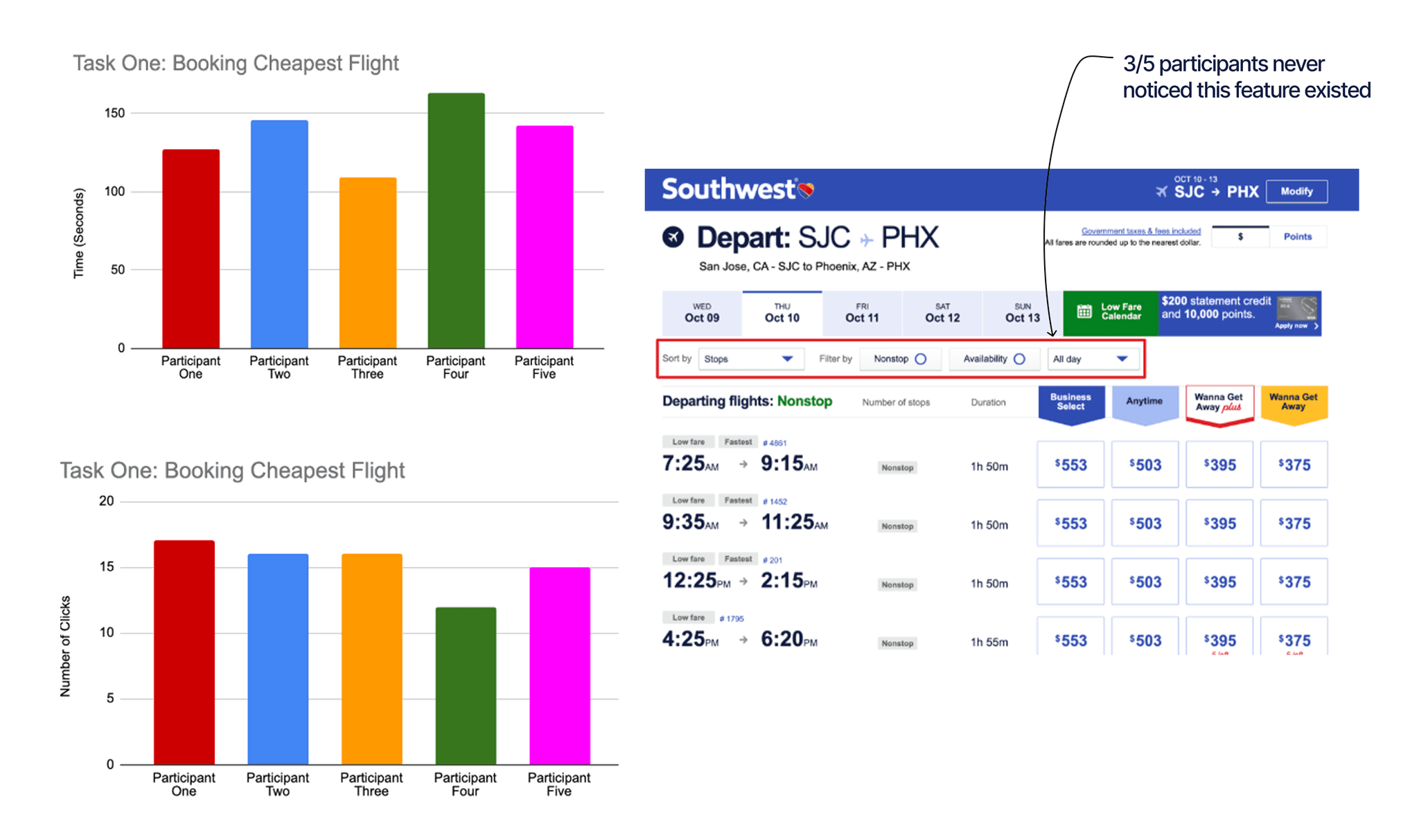
We conducted moderated usability testing with 5 participants across three realistic booking scenarios on the live Southwest website. Participants were observed completing each task while we recorded time of completion, number of clicks, and qualitative ease of use ratings.
Formative Moderated Usability Testing:
Following our usability testing, we conducted a card sorting exercise to understand users' mental models around Southwest's information architecture.
Participants sorted features across four categories : Booking, Modify, Travel Information, and Miscellaneous.
The results revealed consistent expectations about where booking-related features should live, directly informing our decision to surface hotel booking and multi-city options within the primary booking flow.
Card Sorting:
Key Discoveries
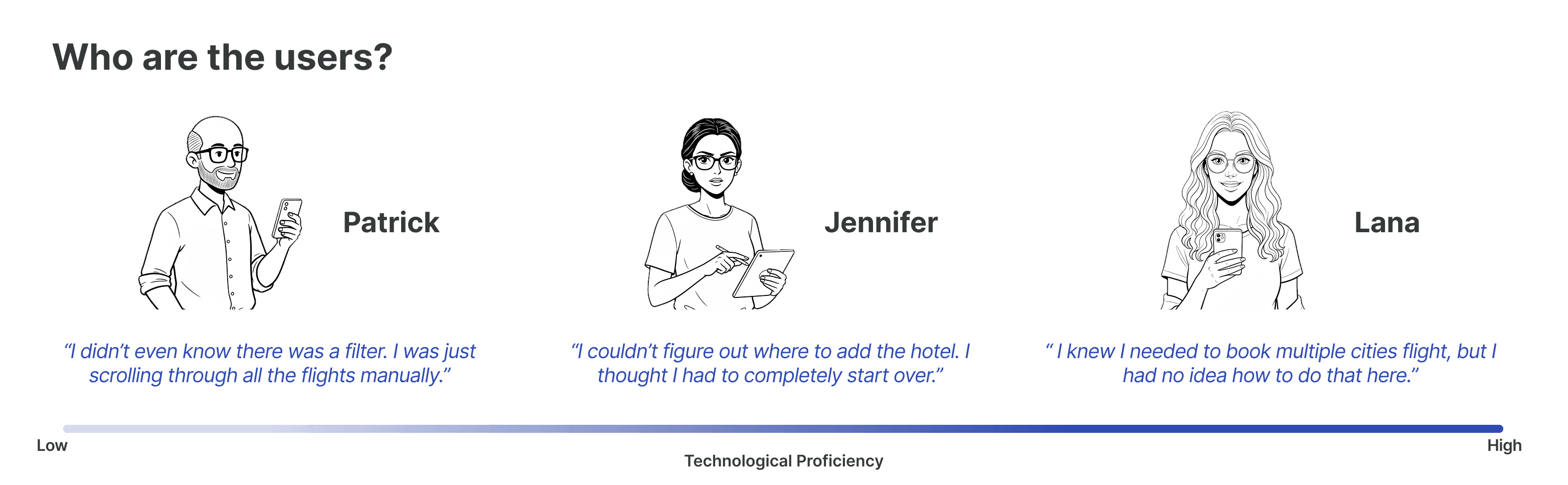
Across our heuristic evaluation, usability testing, and card sorting, the same theme emerged repeatedly, Southwest's interface was built for simple bookings and left users stranded the moment they needed more.
The problems were not about missing features. They were about discoverability, consistency, and information architecture. That finding became the foundation of every design decision we made.
Finding the Cheapest Holiday Flight
137 seconds, 15 clicks
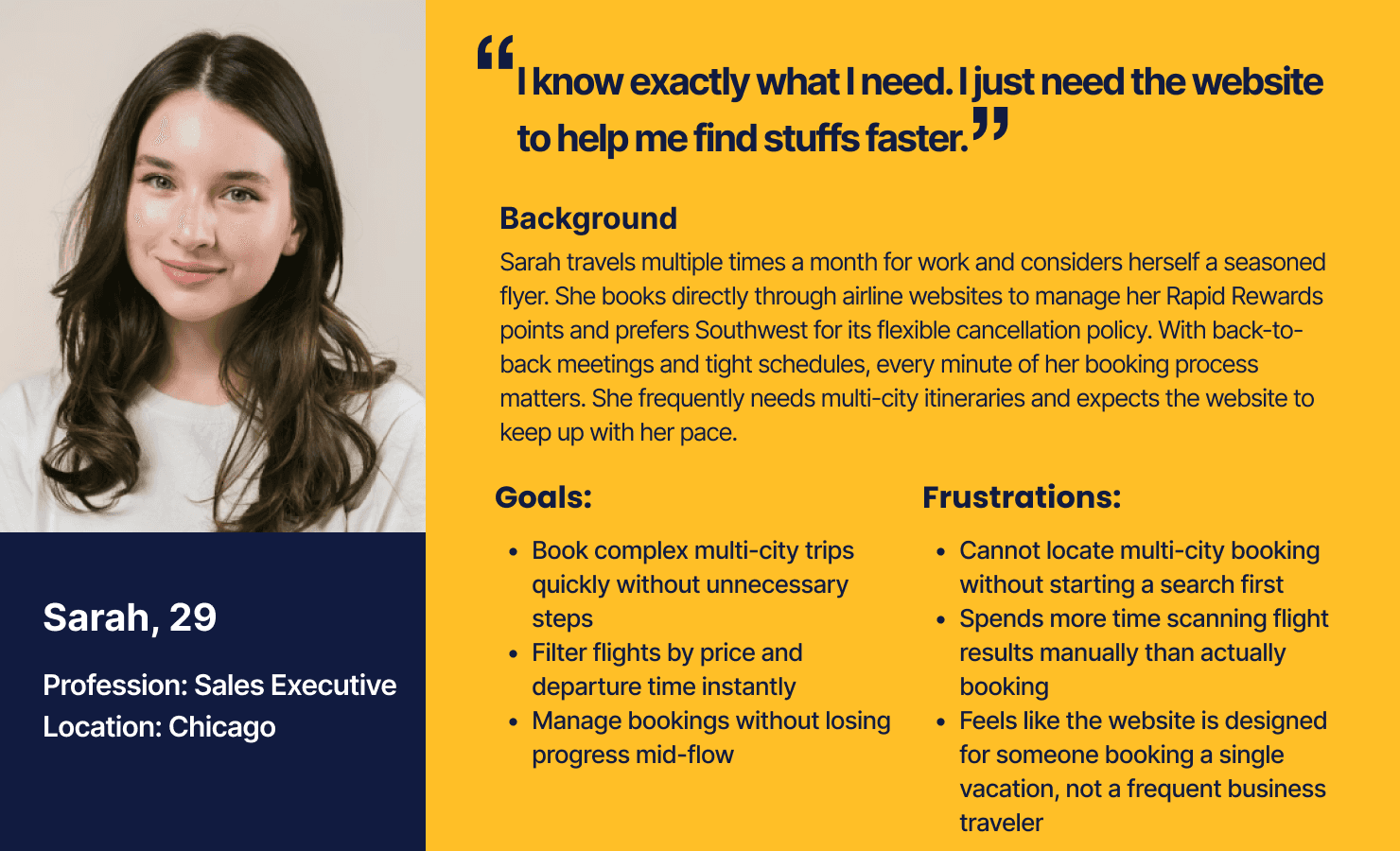
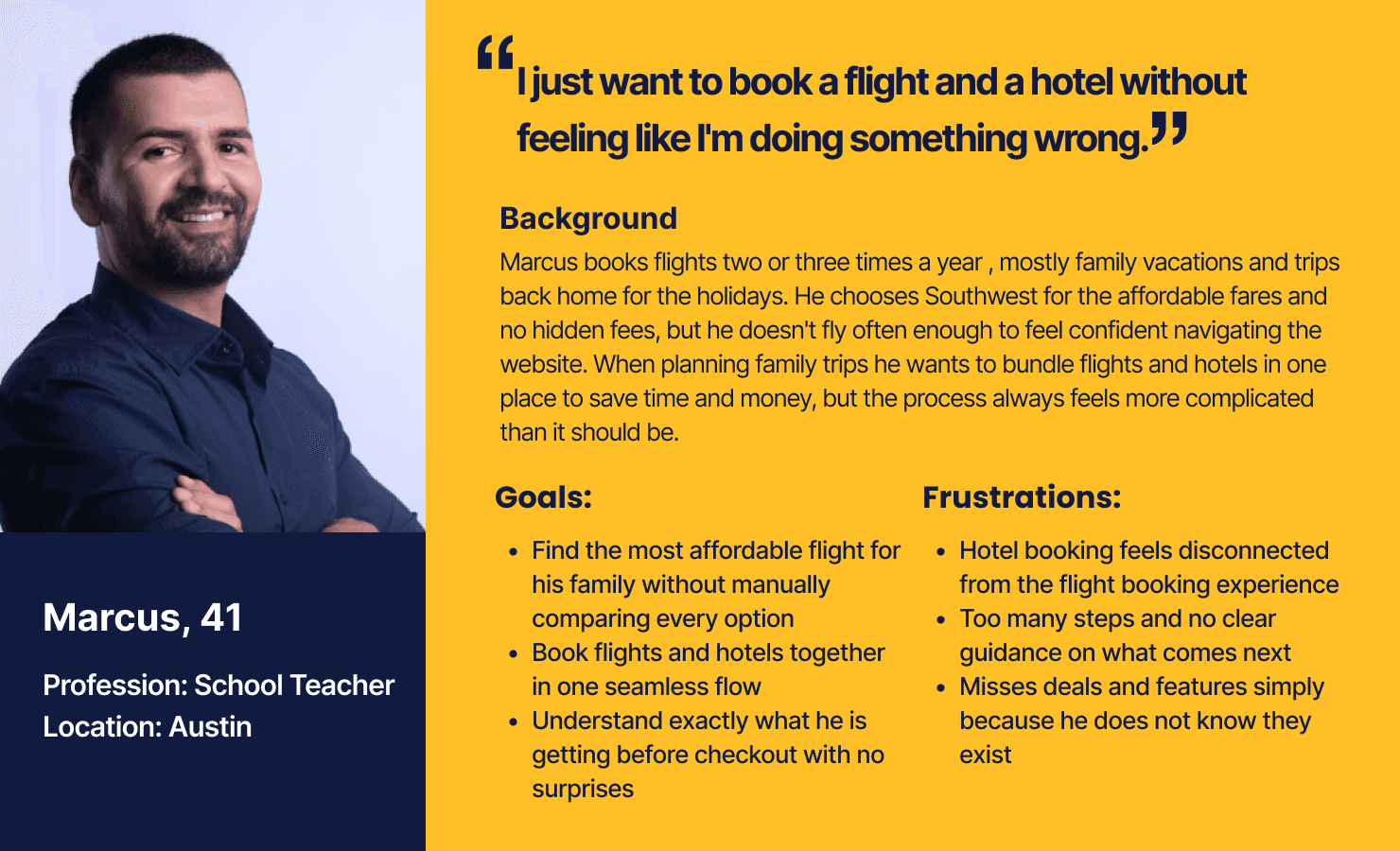
User Personas
04
THE DESIGN PROCESS
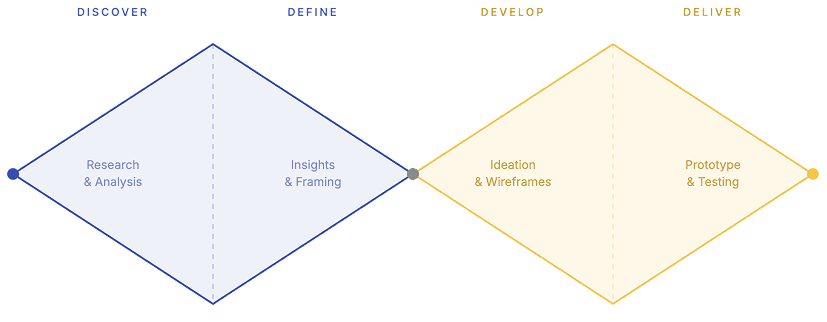
The Process
We used the double diamond as our guiding framework throughout the project. The first diamond pushed us to understand Southwest's users deeply before drawing any conclusions.
The second diamond focused our energy on designing targeted solutions rather than broad changes. The process kept us honest, every design decision needed to trace back to something we observed or measured.
Ideation
Before sketching a single screen, we defined what success looked like for each problem area.
Our research phase surfaced three clear design requirements that became the guardrails for every decision we made:
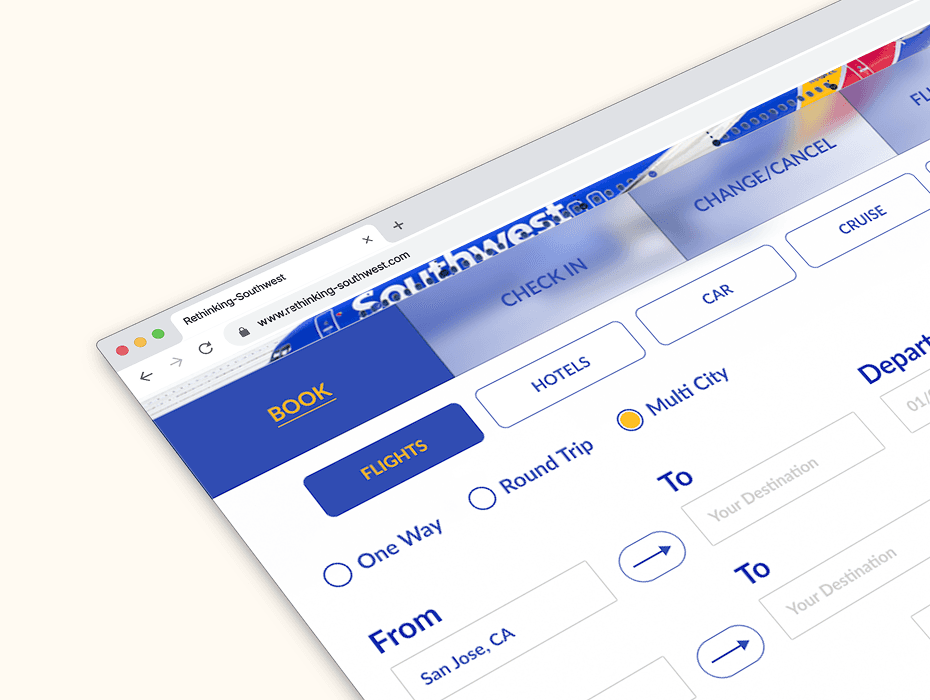
Flight Booking: The multi-city option needed to be accessible directly from the homepage, not buried behind an active search. Users should know it exists before they start booking.
Searching for Flights: The sort and filter feature needed to be locatable within 5 seconds of landing on the results page. Users should be able to filter by price, duration, departure time, and number of stops, not just sort by a single condition.
Booking Packages: Once a user selects a flight, hotel and package options should be salient and consistent within the booking flow. Users should be aware of all available options before reaching checkout.
Wireframes
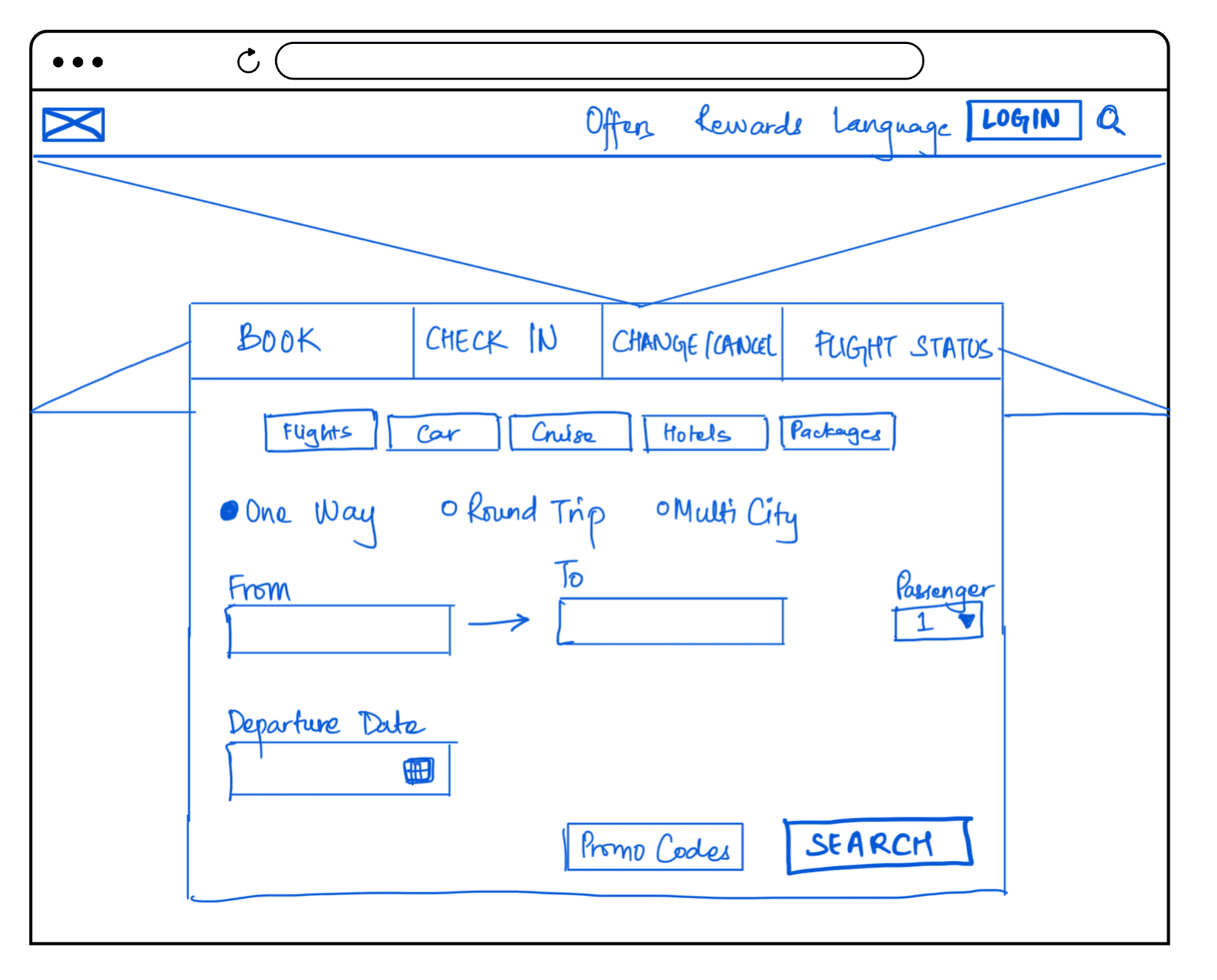
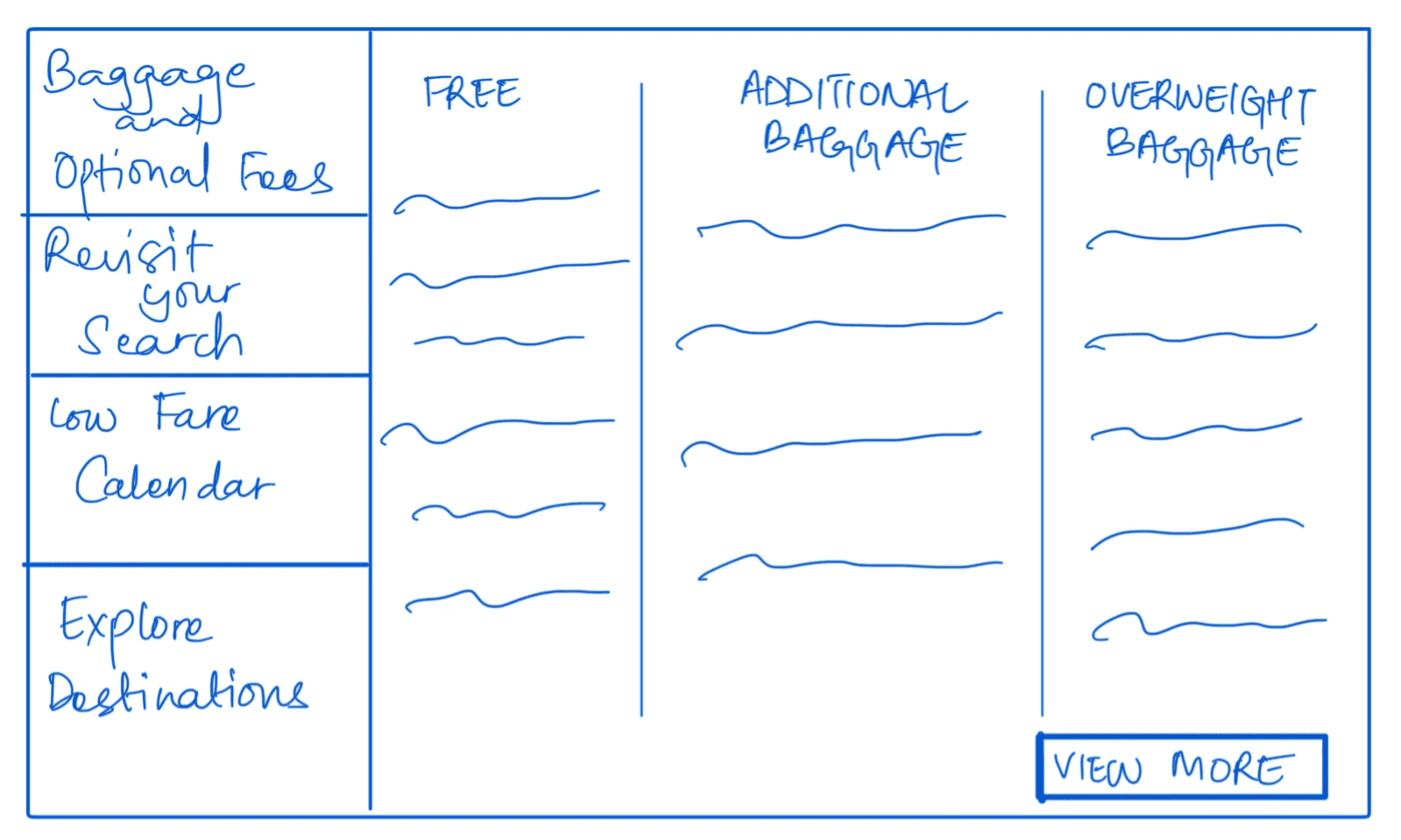
We started low-fidelity to focus on structure and flow before committing to visual decisions.
User Testing
After completing our high-fidelity prototype we ran a second round of moderated usability testing with 4 participants completing the same three tasks on our redesigned prototype.
This gave us a direct before and after comparison against our Part 1 baseline data. The results validated our design decisions across every metric, task completion time dropped, click counts decreased, and ease of use ratings improved from an average of 4 to 6.5 out of 10.
The hotel booking feature showed the most improvement in discoverability, while the multi-city flow still showed some hesitation from participants unfamiliar with the ‘Add Destination’ interaction.
05
TESTING & VALIDATION
06
THE DESIGN
Final Designs & Key Features
07
CONCLUSION
Reflections
This project was our contribution to understanding where Southwest's booking experience could better serve people who rely on it the most.
What started as an academic exercise became a genuine lesson in how small, targeted changes can meaningfully improve the way people experience a product they already love.
Result
The research identified the problems. The redesign addressed them. The numbers confirmed it worked.
We found out that ease of use improved from 4 to 6.5 out of 10. Task completion time and clicks dropped across all three scenarios.
Constraints
Since we had 5 participants in Part 1, of usability testing and 4 in Part 2 , the findings are directional, not statistically conclusive
Academic timeline limited our ability to run multiple iterative testing cycles between design phases
Future Work
If we had more time, here is where we would go next:
The multi-city flow showed the most remaining friction in Part 2 testing. With another iteration we would introduce progressive disclosure, guiding users through adding destinations one step at a time rather than presenting the full form upfront.
We would also explore mobile responsiveness, since a significant portion of flight bookings happen on mobile and our redesign focused exclusively on the desktop experience.
Finally, a full accessibility audit would ensure our changes did not introduce new barriers for users with visual or motor impairments.
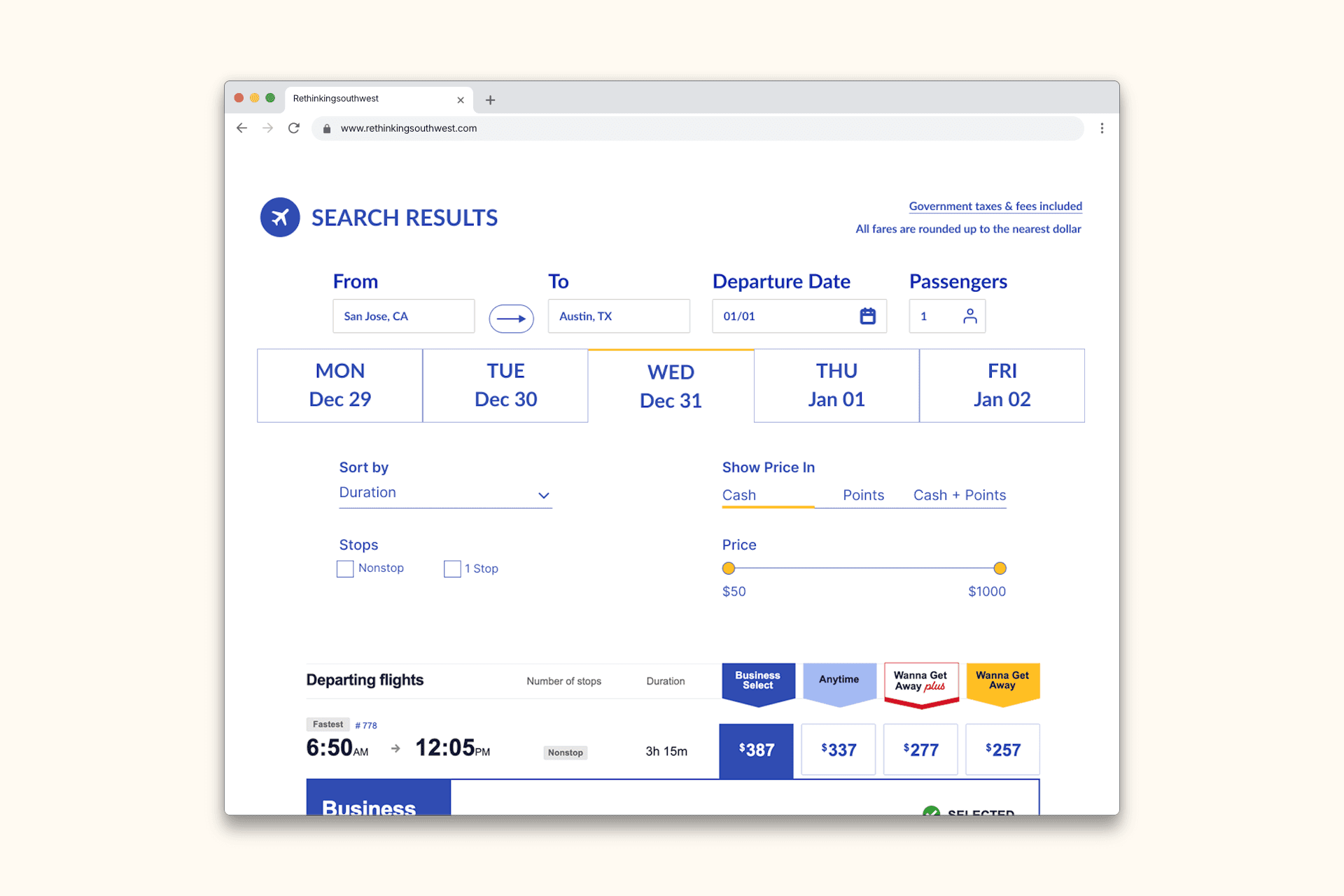
The Filter Option
Finding the cheapest flight should take seconds, not minutes. We redesigned the filter to be immediately visible and more dynamic, giving users control over price, duration, stops, and departure time in one place.
Hotel Packages
Most users never knew Southwest offered flight and hotel bundles. We surfaced the package prompt consistently at the end of the flight selection, right when users are ready to think about where they're staying.
Multi-city Bookings
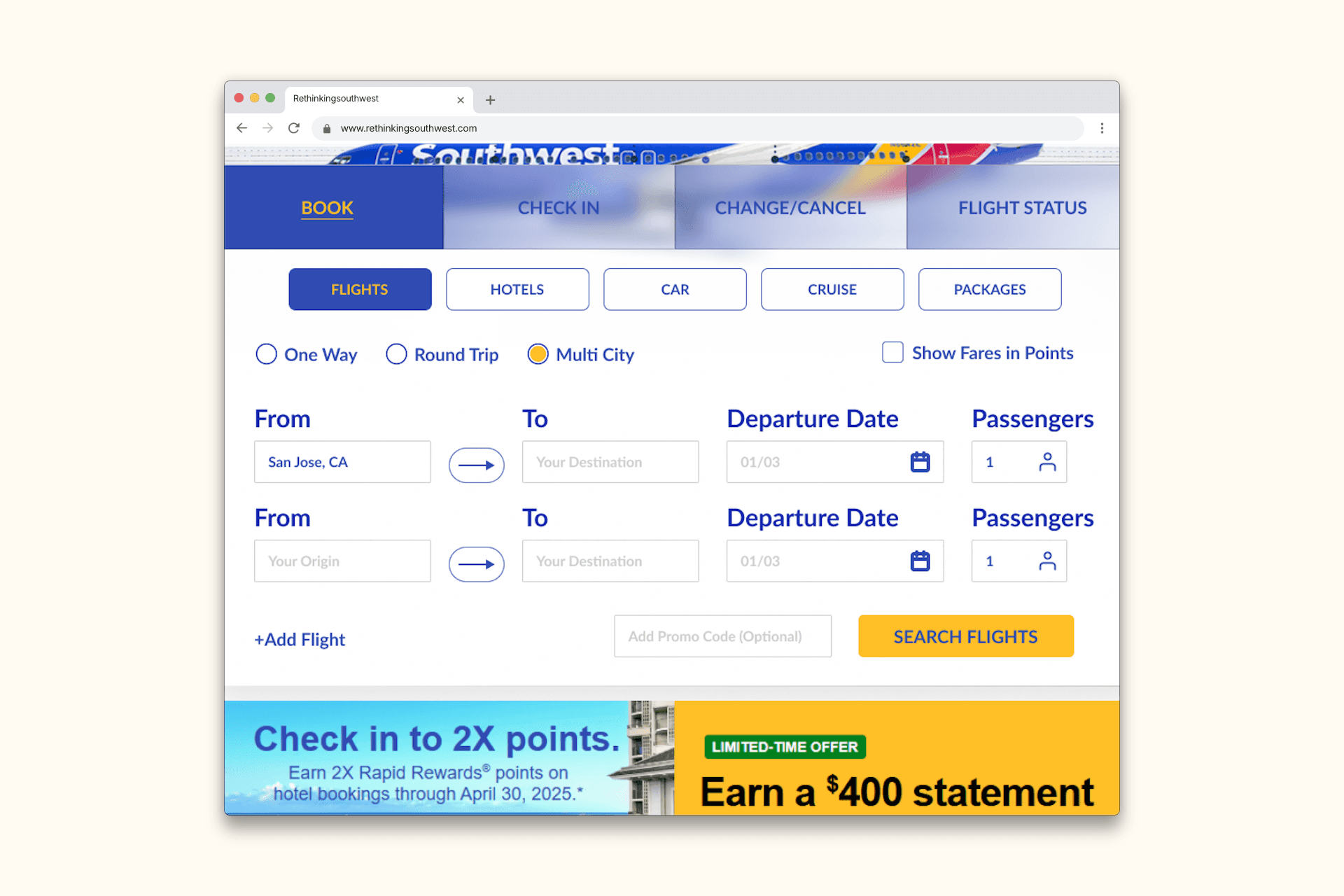
The multi-city feature existed. Users just couldn't find it. We brought it to the homepage alongside One-Way and Round Trip options, making it a first class option from the very first click.
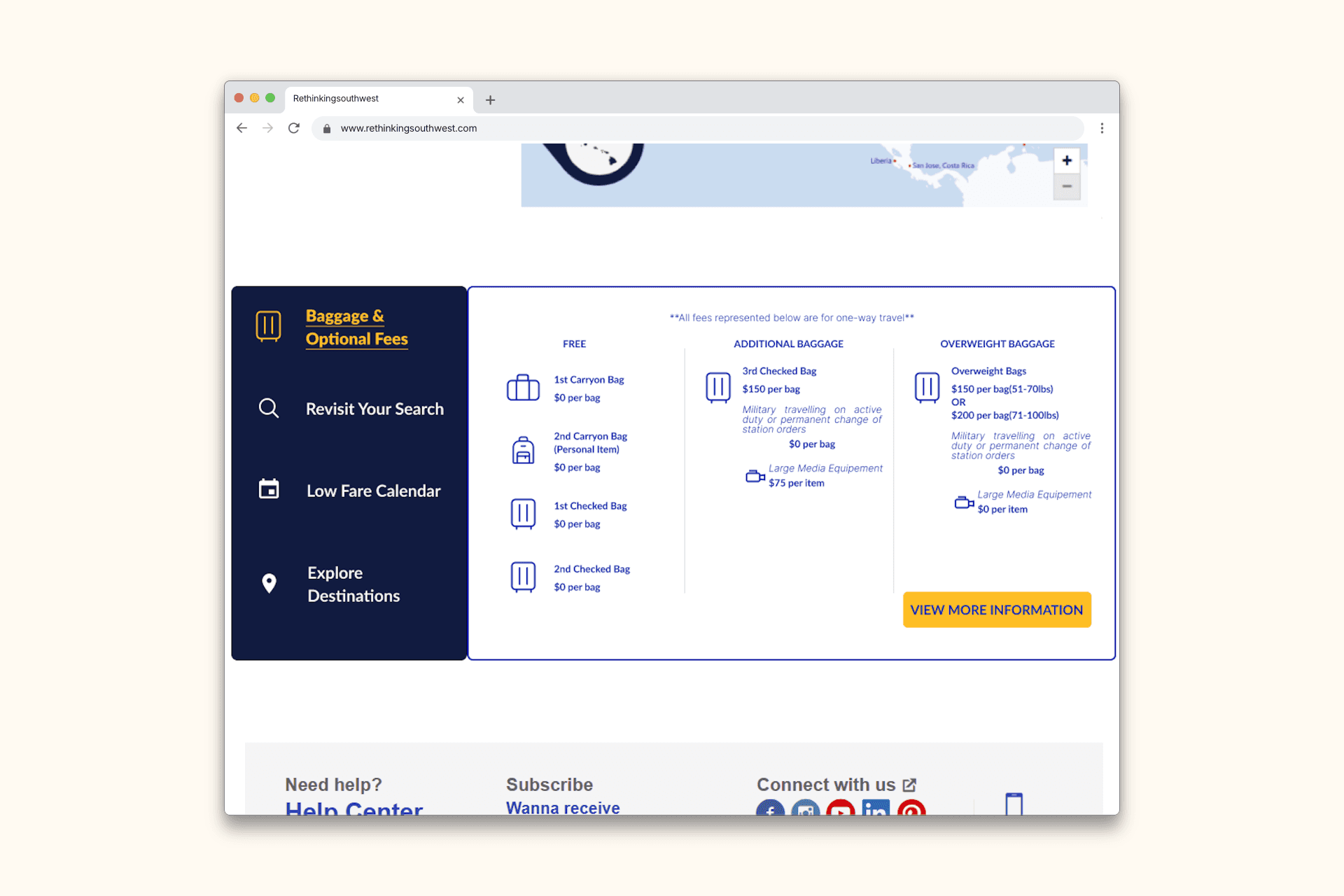
Consolidated Frequently Accessed Panel
The Four features users kept navigating back to: Baggage Fees, Low Fare Calendar, Revisit Your Search, and Explore Destinations that were scattered across the site. I proposed consolidating them into one persistent panel so users never lose their booking progress while finding what they need.